Your Zettelkasten
Every thought gets a note of its own, and links connect what belongs together. Over time this grows into a web where you discover connections you had not noticed while writing.
Notes · self-hosted
nexlore is a note-taking app like Obsidian, but in your browser. You write, link and find your notes again, alone or with a team, and everything stays on your own server. (The 3D library needs WebGL, which this browser does not offer.)
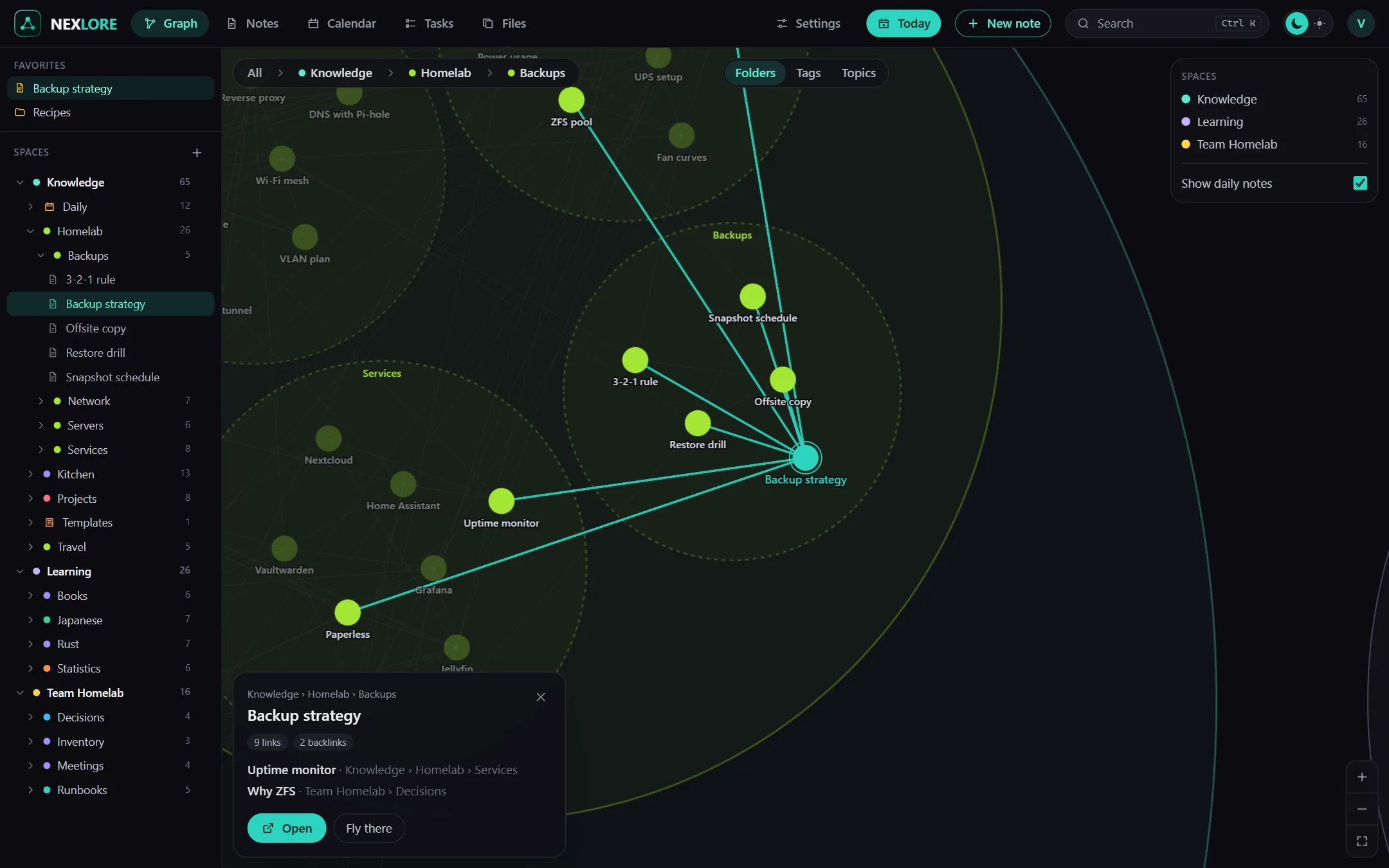
The web is nexlore’s graph. Folders are bubbles that open as you zoom in, and the threads show what belongs together.
WHAT IS NEXLORE?
nexlore is a note-taking app for everything you want to know and keep. You write in an editor that feels like a word processor, connect your notes with links and find them again through search or in the graph. nexlore runs on your own server, and you simply open it in the browser, on your computer as well as on your phone.
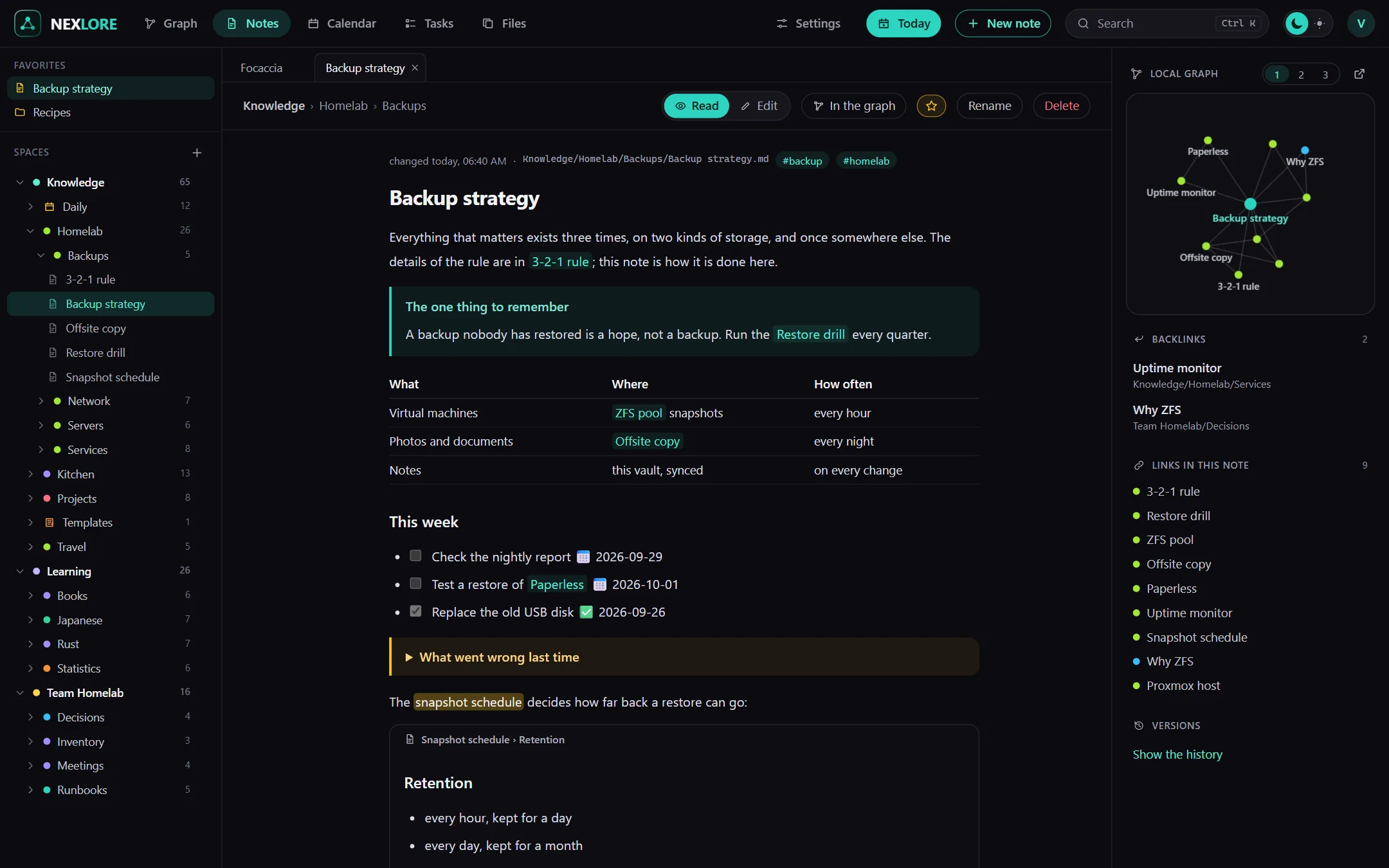
Every thought gets a note of its own, and links connect what belongs together. Over time this grows into a web where you discover connections you had not noticed while writing.
Meetings, ideas, recipes or the shopping list: every day gets a note of its own. nexlore collects the tasks from all your notes on one list, and the calendar shows you what is coming up.
Create spaces for your family, your club or your company and invite others. Everyone sees only what they are allowed to see, and people who may only read can still suggest changes.
FEATURES
The editor shows your text the way it will look. You format it with the toolbar, and nexlore writes clean Markdown into the file behind the scenes.
Search goes through all your notes and even through PDFs. Filters like tag:recipe or changed:7d narrow down the results quickly.
The graph shows all your notes as a map. Folders are bubbles, and when you zoom in you see the notes inside and how they are connected.
Give your notes properties like a status or a date, and nexlore turns them into tables or a Kanban board. Change something there, and the note changes with it.
nexlore installs on your phone like an app. You can write and search there just like on your computer.
If you like, an AI of your choice corrects or reworks your texts. As long as you do not switch it on, not a single word leaves your server.
YOUR DATA
Every note is a Markdown file in a folder on your server. You can open, back up or take them with you at any time, with any other program.
Upload an existing vault as a ZIP, or point nexlore at the same folder. Links, tags and tasks work right away.
Every saved version stays in the history, and deleted notes wait 30 days in the trash. If two people change the same note at once, nothing is overwritten; nexlore keeps a copy instead.
nexlore runs entirely on your side. There is no cloud, no subscription and no advertising, and your notes end up nowhere you did not send them.
GET STARTED
You need a machine that runs Docker, for example a small home server or a NAS. With a short Compose file, nexlore is up and running in a few minutes.
Start with an empty vault, point nexlore at an existing folder of Markdown files, or upload your Obsidian vault as a ZIP.
If you do not want to write alone, create spaces and send others an invitation link. You decide for each space what they are allowed to do.
FREE AND OPEN SOURCE
nexlore is free software under the AGPL-3.0 and costs nothing. All you need is a machine with Docker, and the guide walks you through every step.
Self-host now Source on GitHub