Teams and security
Write together, and everyone sees only their own.
nexlore is built for you alone first, but it works just as well for a team. There are spaces with their own members, three roles and sign-in through your own provider. Whatever someone isn't allowed to read simply doesn't exist for them in nexlore.
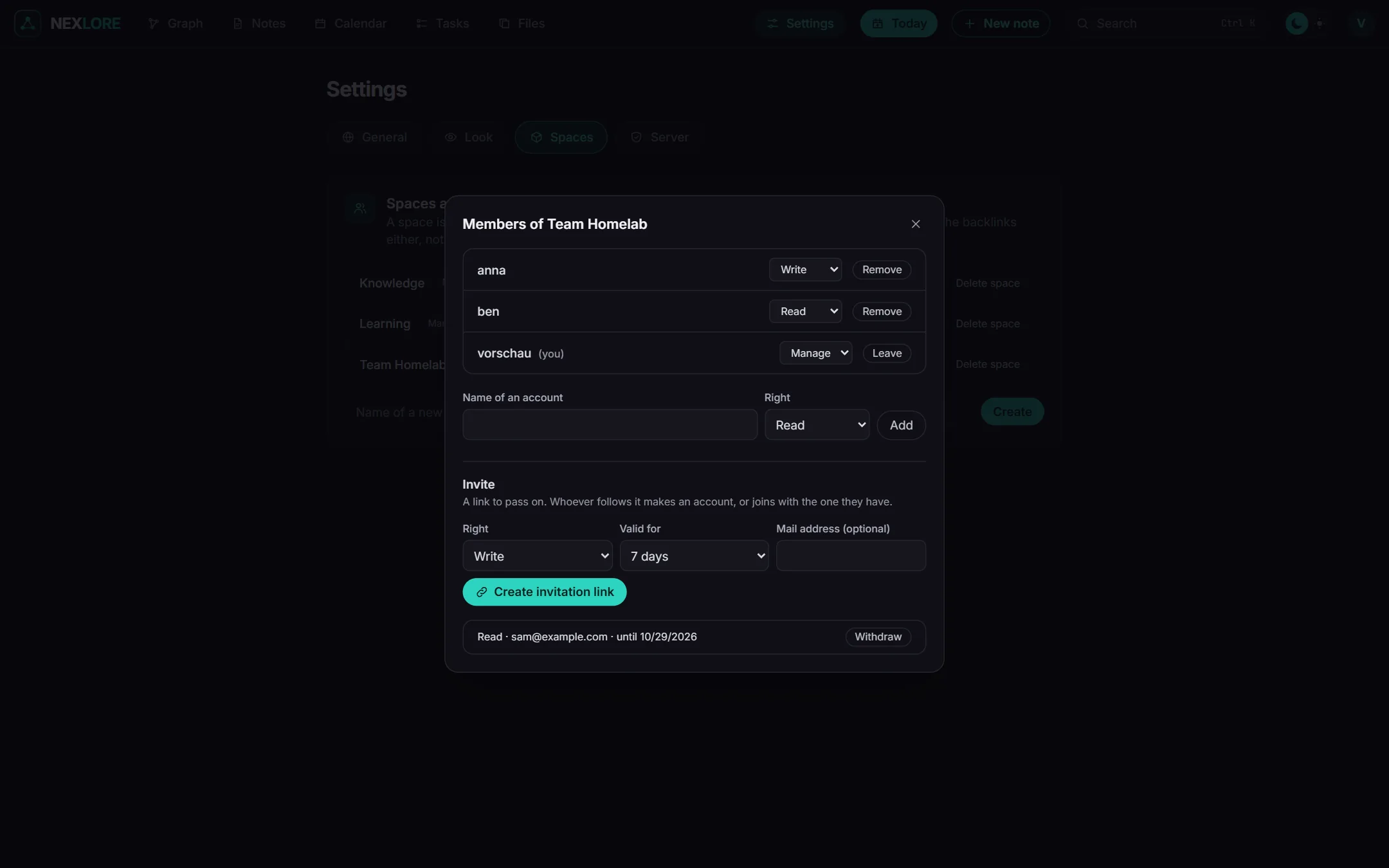
Every space has its own people
A space is a folder at the top of the vault, like “Personal”, “Family” or “Workshop”. Whoever creates a space also manages it and invites others to it.
Three roles, and each may do everything the one before may
| Role | may |
|---|---|
| Read | read and search notes and propose changes |
| Write | also create, change, move and delete, and bring things back from the trash |
| Manage | also invite, give roles, share and rename the space |
- Invitations: You send a link to copy, or a mail once the operator has set up a mail server.
- Links between spaces:
[[Workshop/Workbench]]leads into another space, but only for people who may read both spaces. - A theme for each space: It colours the note area, and every reader can switch it off for themselves.
Lore saysWhatever you may not read, nexlore never gives away. You won't find it in search, in the graph, in the backlinks or in the tasks, not even its title. A space that isn't yours answers exactly like one that doesn't exist at all.
Working together without losing anything
Several people don't type in the same note in real time. In return, it stays clear who changed what, and nothing is silently overwritten.
One person types, everyone reads
When someone edits a note, everyone else sees a notice and can keep reading in peace.
A copy instead of a loss
If someone changes the same file from outside, in another editor for example, your text goes into a copy next to it, and you see both versions side by side.
Proposing changes
People who may only read can propose a change. Whoever may write sees the proposal on the note, compares it and takes it over or turns it down.
New since your last visit
What others have changed is listed at the top of the sidebar. The note gets a dot, and you can see the difference to the version you last read.
Every version is kept
Every save creates a version, and each one says where it came from, whether that's the editor, a change from outside, a proposal, an AI over MCP or a plugin. In the “Versions” tab next to the note you can bring any of them back.
A trash for 30 days
Deleted things wait in the trash for 30 days. Until then, anyone who may write can bring them back.
Sign in the way that suits you
You sign in with a password and a second factor, or through your own sign-in provider with OpenID Connect. Either way, only people who were invited can get in.
Password and second factor
Passwords are at least twelve characters long, and nexlore stores them with Argon2id. After ten failed attempts in a row, an account is locked for a quarter of an hour, no matter which address the attempts came from. On top of that, nexlore slows down any sender who guesses a lot.
For the second factor you use codes from an authenticator app, and you also get recovery codes. Once the second factor is set up, the password alone opens nothing. The sign-in waits at most five minutes and five tries for the code, and every code works only once. The operator can require a second factor for every account that uses a password.
OpenID Connect
You can sign in through any provider that speaks OpenID Connect. For authentik, a single button sets everything up. Whoever comes in through your provider brings its protection along.
New accounts are only created with an invitation, unless the operator explicitly allows it for everyone from the provider. Signing in with a password can be switched off for members. The operator always keeps it, so they can still get in if the provider ever goes down.
Show notes publicly, from your own server
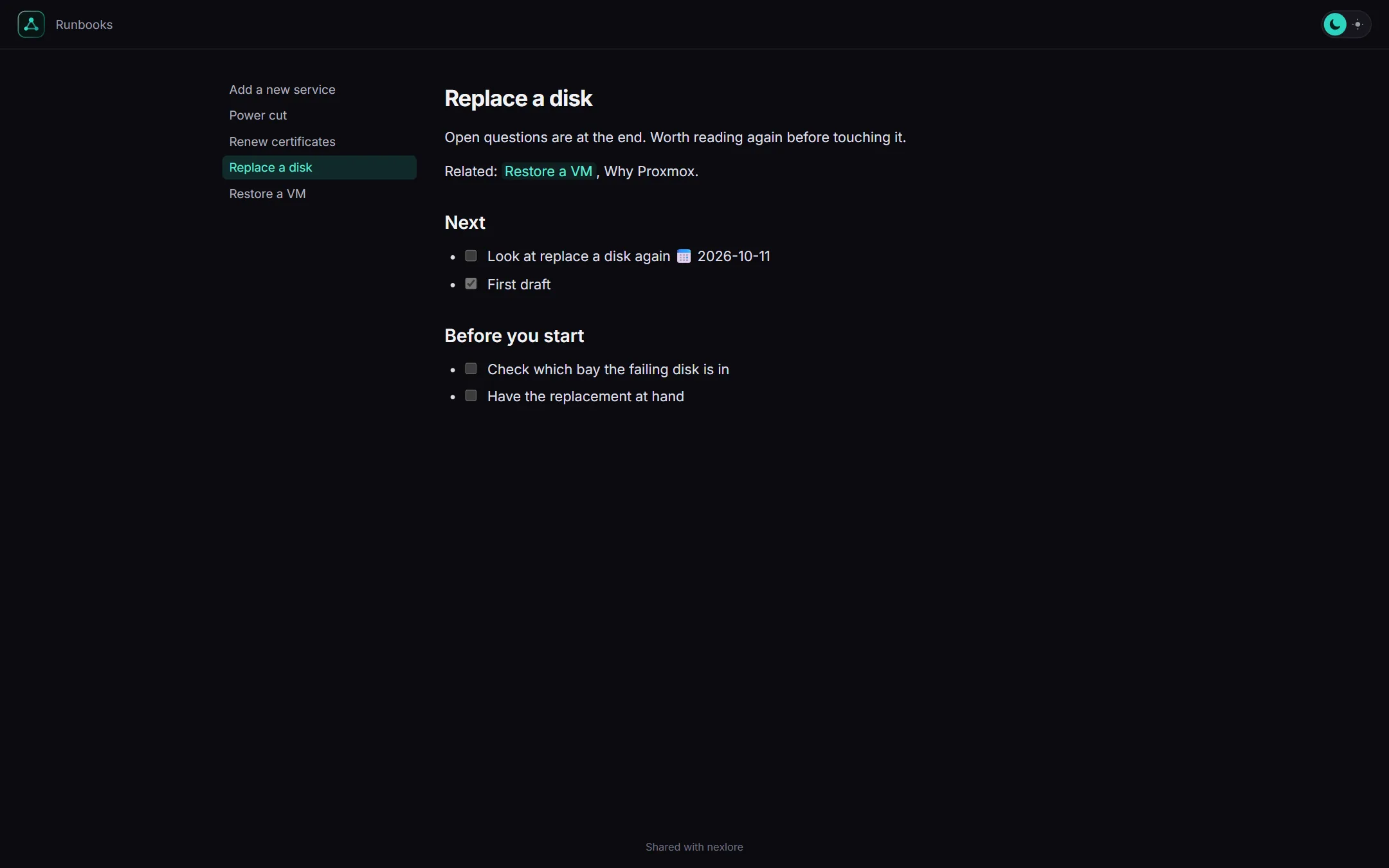
You can share a note or a whole folder as a page to read, and it stays on your server while you do.
Only the text goes out
Anyone with the link can read the page without an account, and a shared folder gets a navigation. Properties and %%comments%% stay with you, and links to notes you haven't shared turn into ordinary text.
- Expiry and password: If you like, the page runs out after a while or asks for a password. Until the password is entered, it doesn't even give away its name.
- Withdrawing: One click takes the page back, and the link leads nowhere after that.
- Off by default: The Share option only appears once the operator allows public pages.
What the operator can and can't see
Whoever runs the server manages accounts and settings. They don't look into other people's spaces while doing so.
In the app, they see nothing that isn't theirs
A space without members belongs to the operator, because it came from the disk. As soon as a space has members, the operator is either one of them or sees nothing of that space. They can hand a space over to someone, but that doesn't let them read it.
Anything that could hand over other people's notes asks for the operator's password again. That applies when they download a backup, give an account a password, reset a second factor, change a role or delete an account.
On the disk, everything is readable
Your notes are ordinary Markdown files, and nexlore doesn't encrypt them. So anyone with access to the server can read them. That's the price of letting sync tools and any editor work with them.
Only the secrets the server needs itself are encrypted, meaning the OIDC secret, the mail password and the seeds of second factors.
How nexlore protects you in the background
These rules are part of how nexlore is built, and you don't have to set anything for them.
Other sites can't trigger anything
Every request that changes something needs a header that a page from somewhere else can't send along.
Uploads are never run
nexlore serves attachments in a sandbox of their own. SVG, HTML and PDF are only offered as downloads, so their content never runs in the browser.
A log without your content
The log never contains note texts, passwords, keys or tokens. It has four levels, and the two most detailed ones switch themselves off again after a while.
Plugins run locked up
Every plugin runs in a frame without an origin of its own, without cookies and without network, and gets only what its manifest lists.
Keys for MCP
You see a key only once, and nexlore stores only its hash. It works only as a Bearer header, never from inside a web page, and never reaches further than its account.
Everything facing outward starts closed
Public pages, AI, MCP and plugin files of your own stay off until the operator opens them.