Features
Write your notes, link them and find them again.
This page shows everything nexlore can do, from the editor to search to backups. Most sections come with a picture from the app, and where it helps, Lore adds a tip.
Writing that feels like a word processor
While you write, you see your text the way it will look later. You can type Markdown if you know it, but you don't have to.
nexlore only changes what you change
When you edit a paragraph, nexlore writes only that paragraph back to the file. Everything else stays exactly as it was, down to blank lines and line endings. That's why you can safely work on the same files with another editor or with Git.
- Toolbar and slash: You format text the way you would in a word processor, and typing “/” lets you insert tables, tasks or callouts.
- Properties: A note's front matter shows up as a tidy table, with tags as chips and dates with a calendar.
- Formulas, diagrams and footnotes: nexlore typesets formulas with KaTeX and draws diagrams with Mermaid.
- Your own look: Every account picks its theme and one of six fonts that come with nexlore.
Lore saysCtrl + P opens the command palette. It lists everything nexlore can do right now, so you never need the mouse.
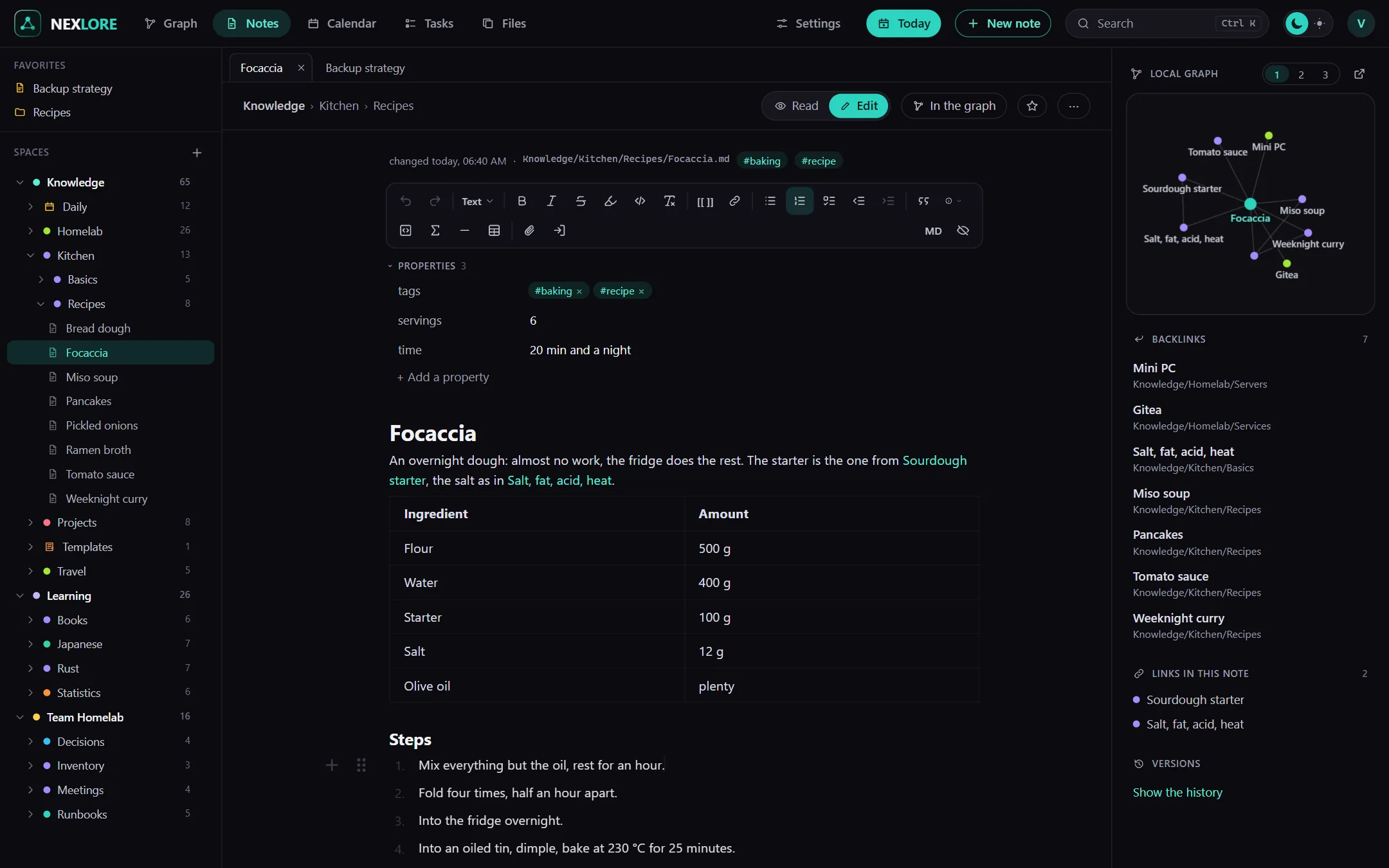
Connect your notes to each other
Two square brackets link one note to another, for example [[Recipes]]. Every note then also shows you which other notes point to it.
Links stay intact when you rename
When you rename a note or a folder, nexlore updates every link to it for you, and it keeps the style each link was originally written in. This works with thousands of notes too, without you having to wait.
- Backlinks and local graph: Next to every note you see which other notes point to it and how it connects to its neighbours.
- Embeds: With
![[Note#Heading]]you show a section of another note right where you are. - Preview: When you hover over a link, the linked note appears in a small window.
- Quick switcher: Ctrl + K takes you to any note, also by one of its other names or straight to a heading.
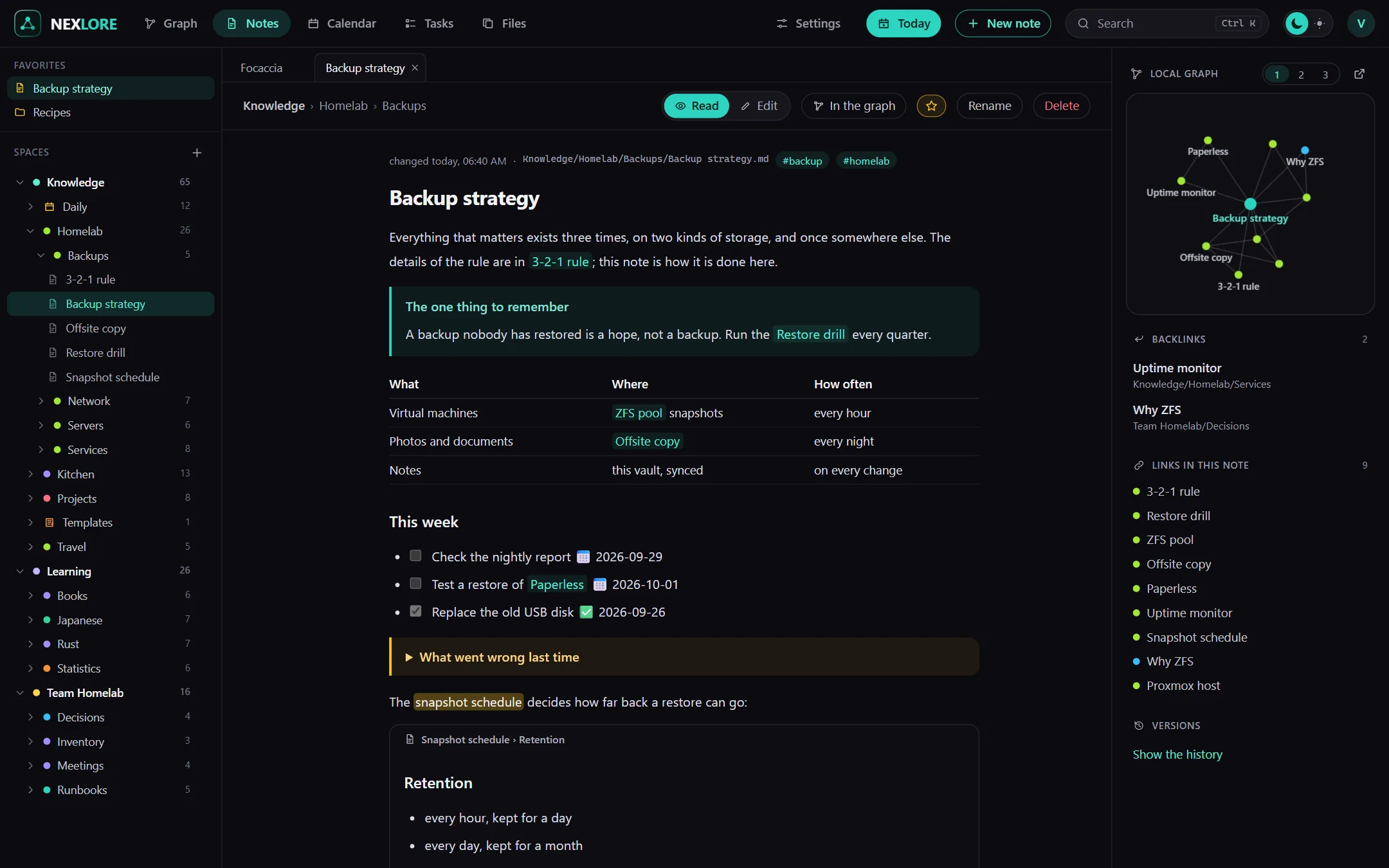
A graph you can zoom into
The graph shows all your notes as a map. Folders are bubbles, and when you zoom in, they open up and show their notes.
Still smooth with 100,000 notes
Your browser draws the graph with WebGL, and the server works out the layout in advance. That keeps the map fast even for large collections. New notes slot in without shuffling everything else around.
- Folders, tags or topics: At the top you choose how the map is grouped. nexlore works out the topics from the text on its own.
- Big folders: nexlore splits folders with a great many notes into smaller groups based on their links.
- Rights apply here too: Notes you aren't allowed to read never show up in the graph at all.
Lore saysMy web in the corner of the library looks just like this. Only with less dust.
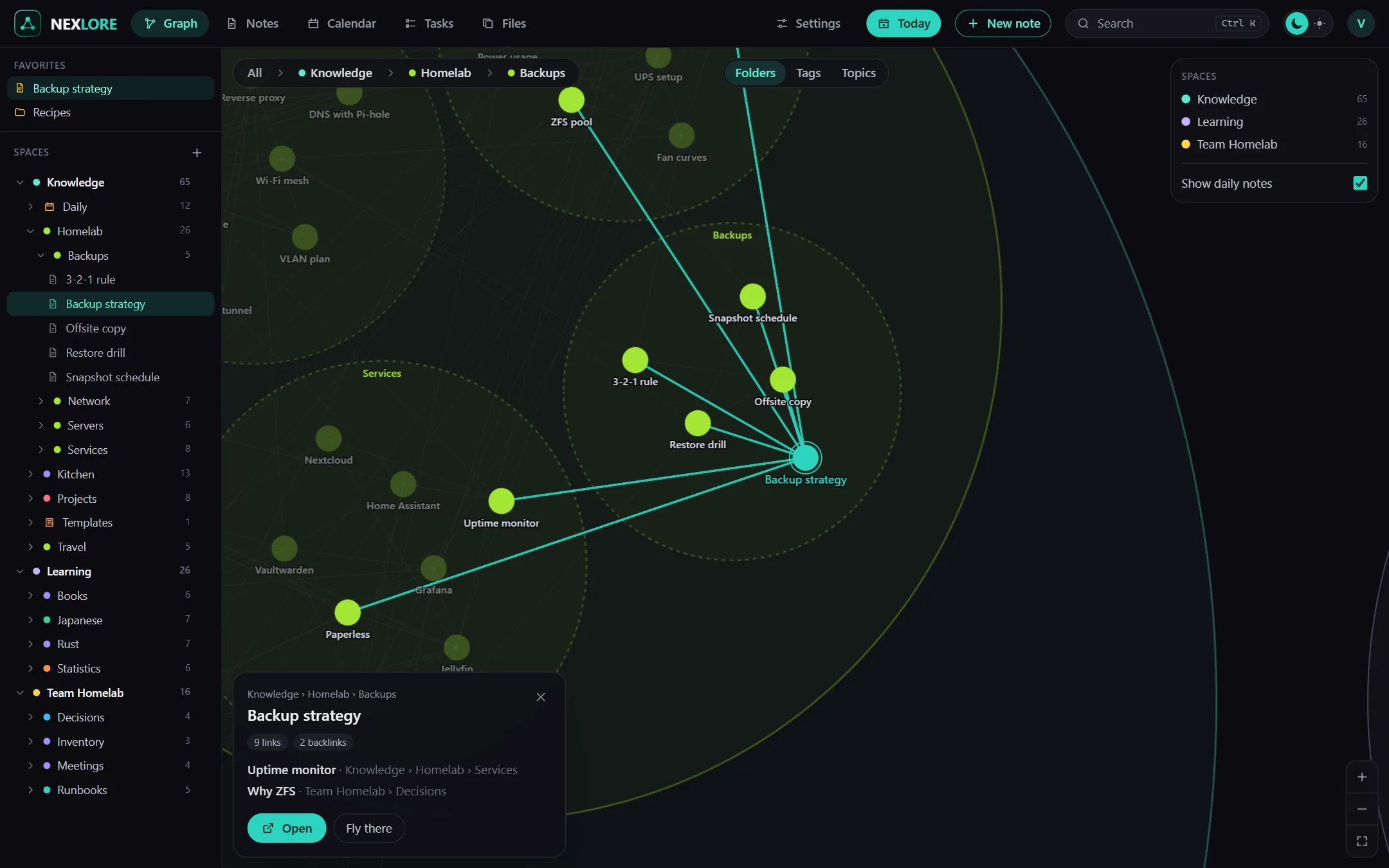
Find everything again
Search goes through the full text of all your notes and shows you the lines where your search term appears.
Search with filters
You can search for single words or for "whole phrases" and leave out words with a minus. Filters like tag:homelab, path:Recipes or changed:7d narrow down the results. You can also click the filters, and nexlore writes them into the search field for you.
- A search page of its own: Ctrl + Shift + F opens it when you're searching for longer or expect lots of results.
- PDFs: The text inside PDF attachments is searched as well.
- New since your last visit: What others have changed is listed at the top of the sidebar, and you can look at the difference.
Tables and boards made from your notes
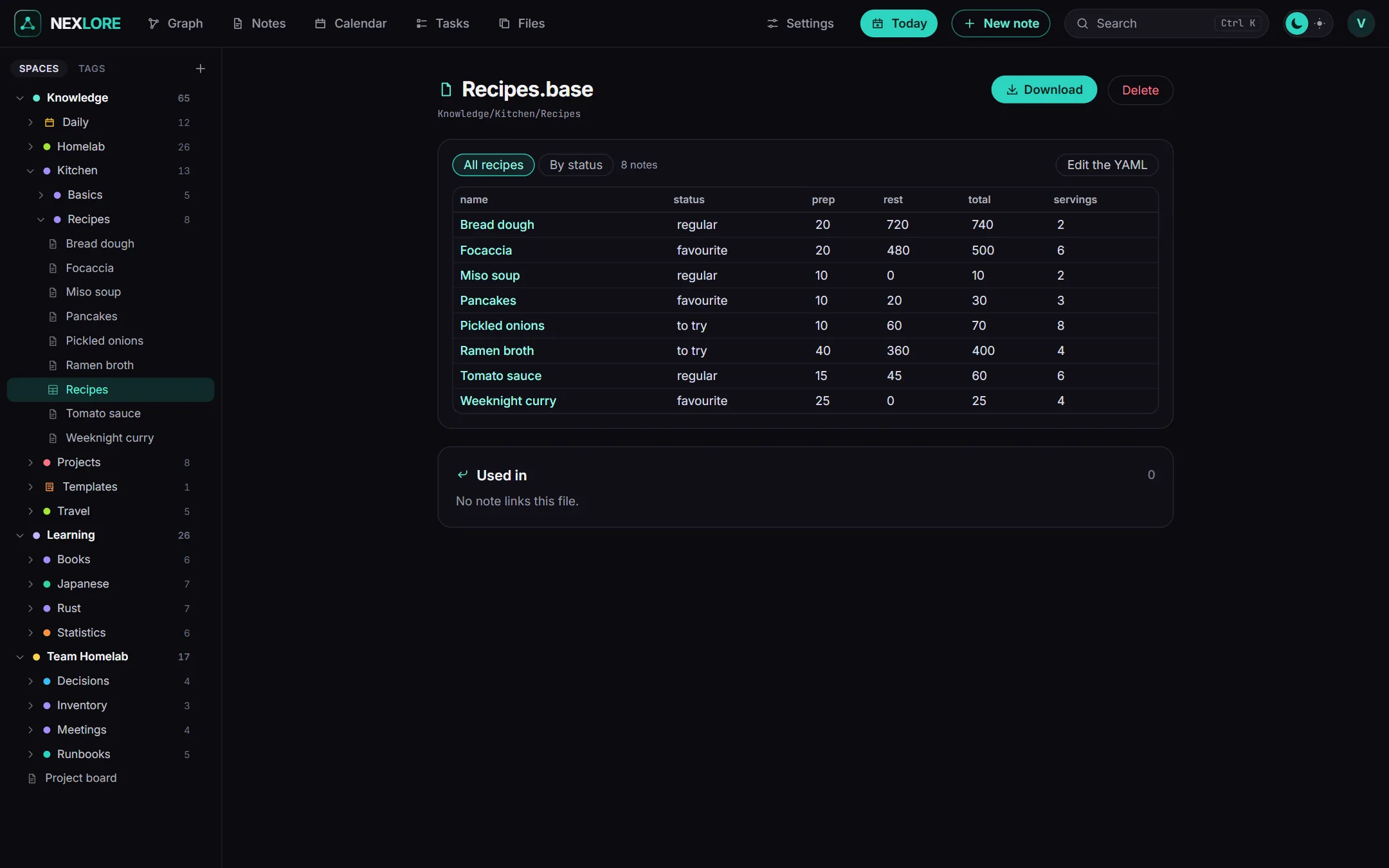
Give your notes properties like a status or a date, and nexlore shows them as a table, cards, a list or a Kanban board.
Changes land in the note
A view is a file of its own with the extension .base, or a code block inside a note. In it you decide which notes belong and which columns you want to see. When you change a value in the table, nexlore writes it back to the note, and only to that one line.
- Four layouts: table, cards, list and board. On the board you simply drag a card into another column.
- Filters and formulas: for example all the recipes you still want to try, or a column that adds up two times.
- Plugins: For Kanban boards, tables of contents and queries there are checked plugins as well.
For every day
Daily notes, templates, tasks and a calendar help you keep track, on your computer just as well as on your phone.
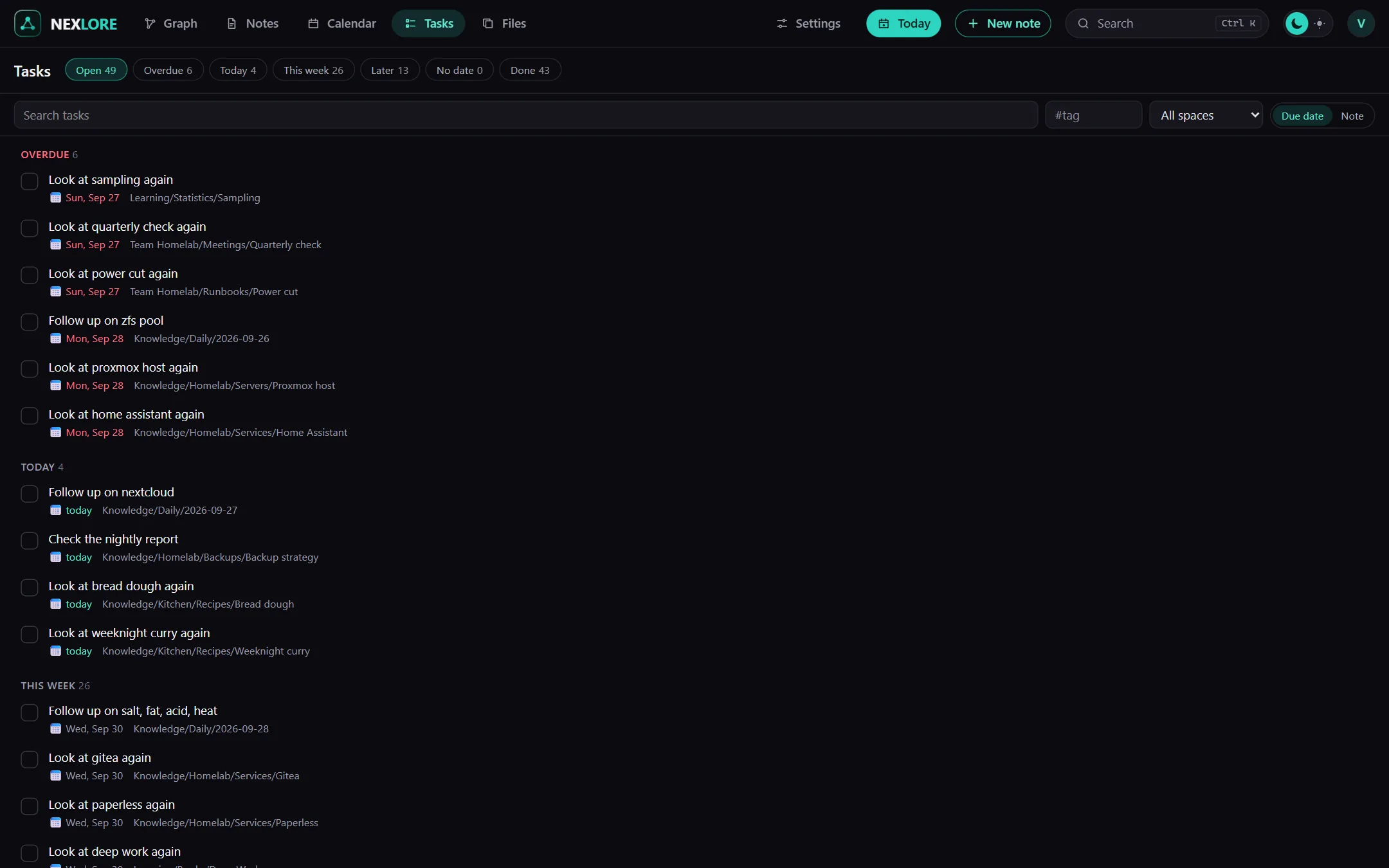
Tasks from all your notes
You write tasks where they belong, as a line with a checkbox. nexlore collects them from all your notes into one list, sorted by due date or by note. When you tick one off, only that one line changes, and for recurring tasks nexlore creates the next one right away.
- Daily note: Alt + T opens today's note, from a template with
{{date}}and{{title}}if you like. - Calendar: Clicking a day opens its daily note or creates it.
- Due dates and priorities: Tasks can be due, scheduled, recurring or done, each with a priority.
On your phone like an app
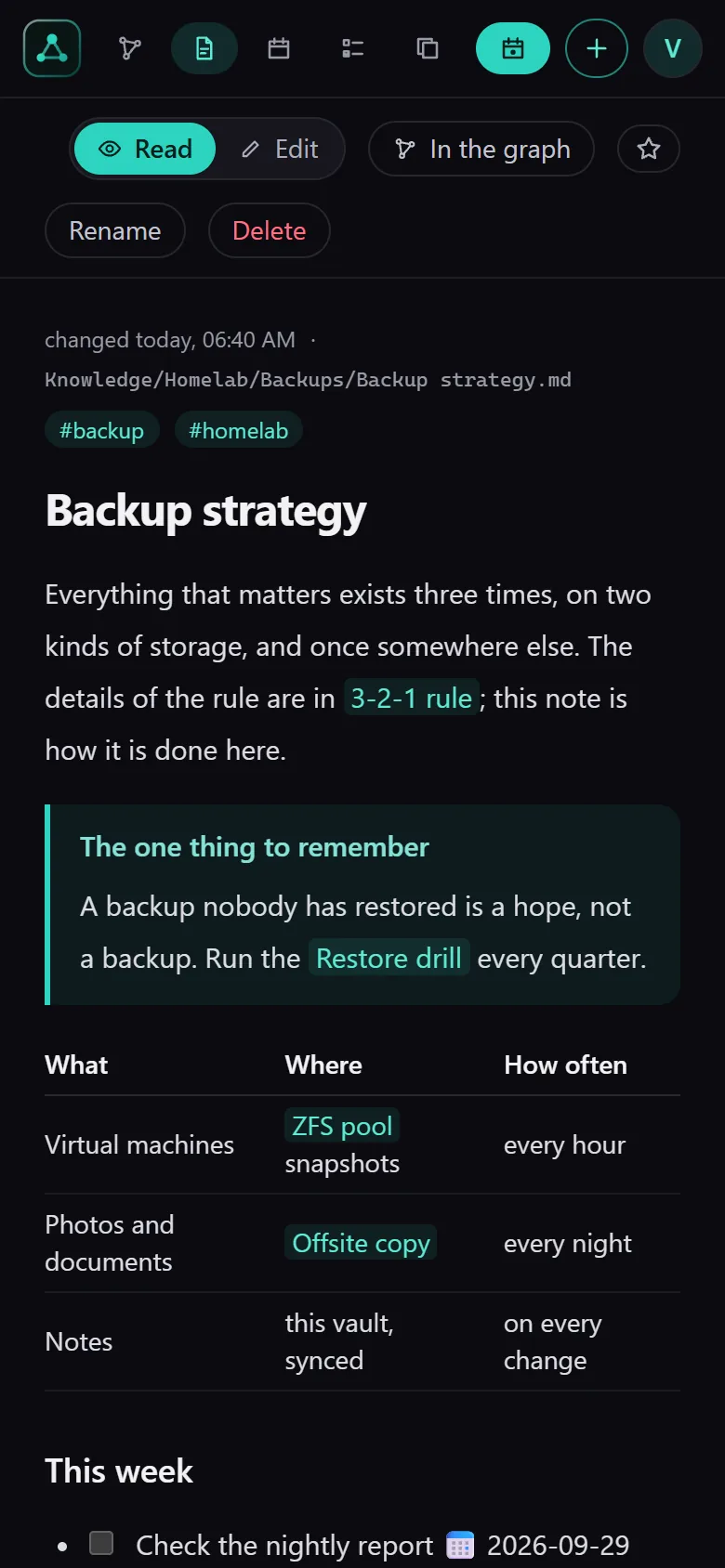
You can install nexlore on your phone and write there just like on your computer. The sidebar then slides up as a sheet, and search and today's note are always just a tap away.
Lore saysTo install it, the browser needs an encrypted connection. How to set that up is explained under Self-host.
So nothing gets lost
What happens in the background to keep your notes safe.
Your files are the foundation
Every note is a Markdown file in your folder. nexlore notices changes from outside right away, and vaults from Obsidian open unchanged.
Nothing gets overwritten
If someone changes a note while you're writing in it, nexlore saves your text as a copy next to it instead of throwing it away.
Versions and trash
Every save creates a version you can bring back, and deleted things stay in the trash for 30 days.
Attachments
nexlore removes place and device from photos, turns iPhone pictures into a format every browser can show, and recognizes duplicate files by their content.
Backups
The database and all files are backed up on a schedule. Before you restore, nexlore shows you what that would change.
Only what you may read
Search, graph and backlinks show nothing from spaces you have no access to, not even a title.