The app step by step · Chapter 19
Links and backlinks
How to write links is explained in the chapter Wiki links. This one is about what nexlore makes of them, because every note knows which other notes point to it.
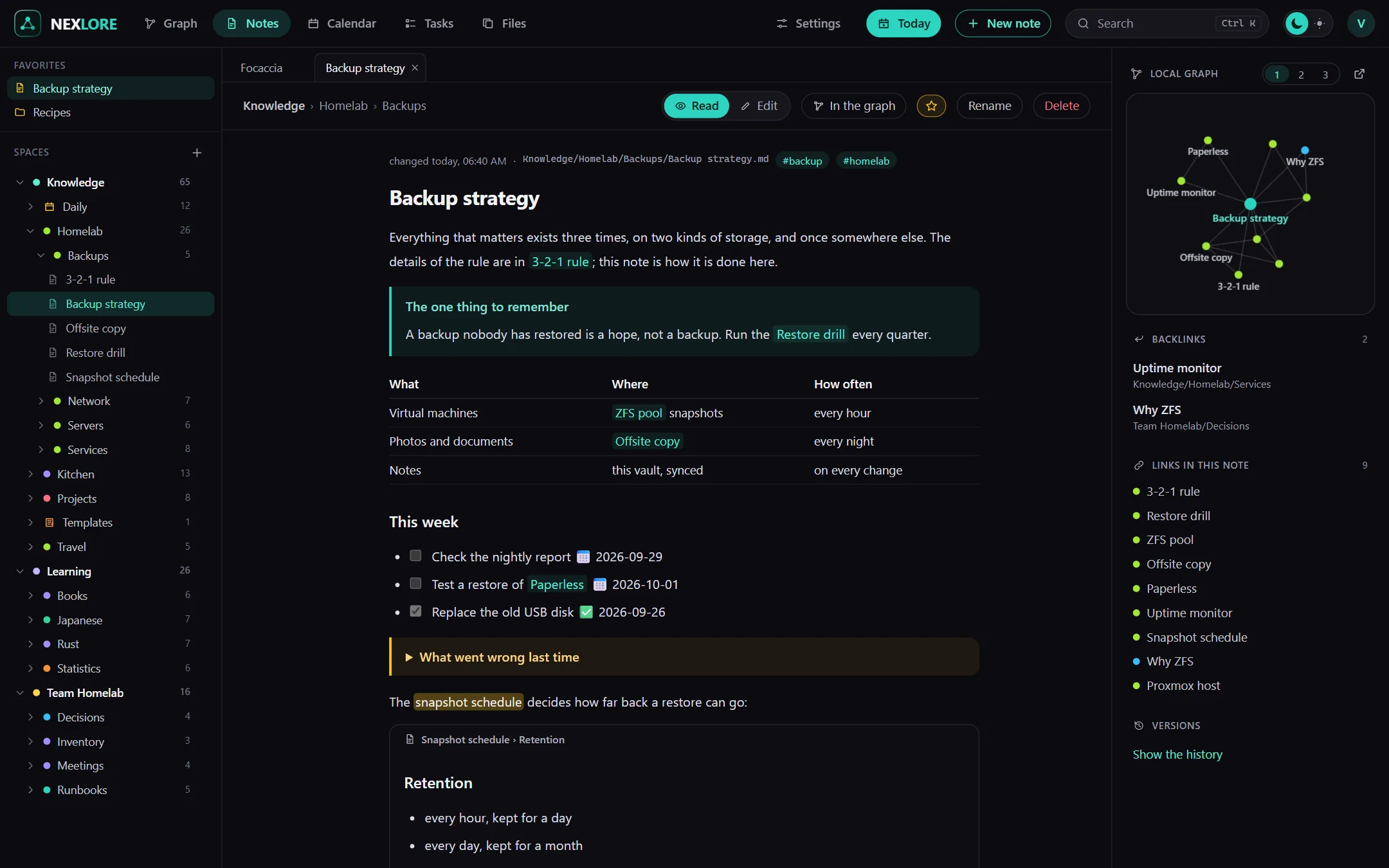
Everything about a note in the column beside it
Next to every note there's a column with tabs. On a wide screen it sits to the right of the text, and you show or hide it with the button at the top of the note or with Alt + R. If the window is narrower than 1280 pixels, the same button opens it as a sheet from the right, and on a phone it slides up from the bottom.
| Tab | What it shows |
|---|---|
| Outline | the note's headings, where a click jumps there and the place you are reading is highlighted |
| Links | the backlinks, meaning every note that points to this one together with the line the link stands in, and the links in this note; if a link occurs more often, the count stands next to it, like ×3 |
| Graph | the local graph with the note's neighbours, where 1, 2 and 3 set how many links far it reaches |
| Versions | every saved version of the note, to look at and to bring back |
Backlinks also come from other spaces, as long as you may read them. If you have switched on plugins that appear next to a note, there's an extra “Plugins” tab as well.
Peek into a linked note without leaving yours
When you rest the mouse on a link for a moment, nexlore shows you the linked note in a small window. In the editor you hold Ctrl for that, so the preview doesn't get in your way while writing.
Renaming without breaking links
To rename a note, click its name shown large above the text or press F2. You'll also find Rename in the “More” menu at the top of the note and in the sidebar menu. Afterwards nexlore reports, for example, that the links in 12 notes now use the new name. With very many links nexlore rewrites them in small parts so nobody has to wait, and if the server is stopped halfway, it carries on at its next start.
Lore saysnexlore also rewrites links from spaces you may not read yourself, so that no dead links appear anywhere. The message counts only those you may see, though.