The app step by step · Chapter 17
Spaces, folders and notes
On the left in nexlore is the sidebar with every space you may read. A space is a folder at the top of the vault with its own members, like “Personal”, “Family” or “Workshop”.
Creating a space of your own
With the + next to “Spaces” in the sidebar you create a new space. Whoever creates it also manages it and can invite others, with more on that under Sharing and rights. Under Settings, Spaces you'll find the Options of each space, meaning the folders for daily notes and templates and a theme for its notes.
Creating and arranging notes and folders
- New note: You use the button in the header, the + next to a folder or Alt + N. In the dialog you then pick the place and, if you like, a template.
- Everything else by right-click: On a folder or a note you'll find New folder, Rename, Move, Show in the graph, Copy wiki link and Move to the trash. On a phone you hold your finger on it for a moment.
- Symbol and colour: For spaces and folders you choose from 24 of nexlore's own and over 1,800 symbols from Lucide, with a search in English and German. The colour applies to the folders inside too, and the symbol also appears in the graph.
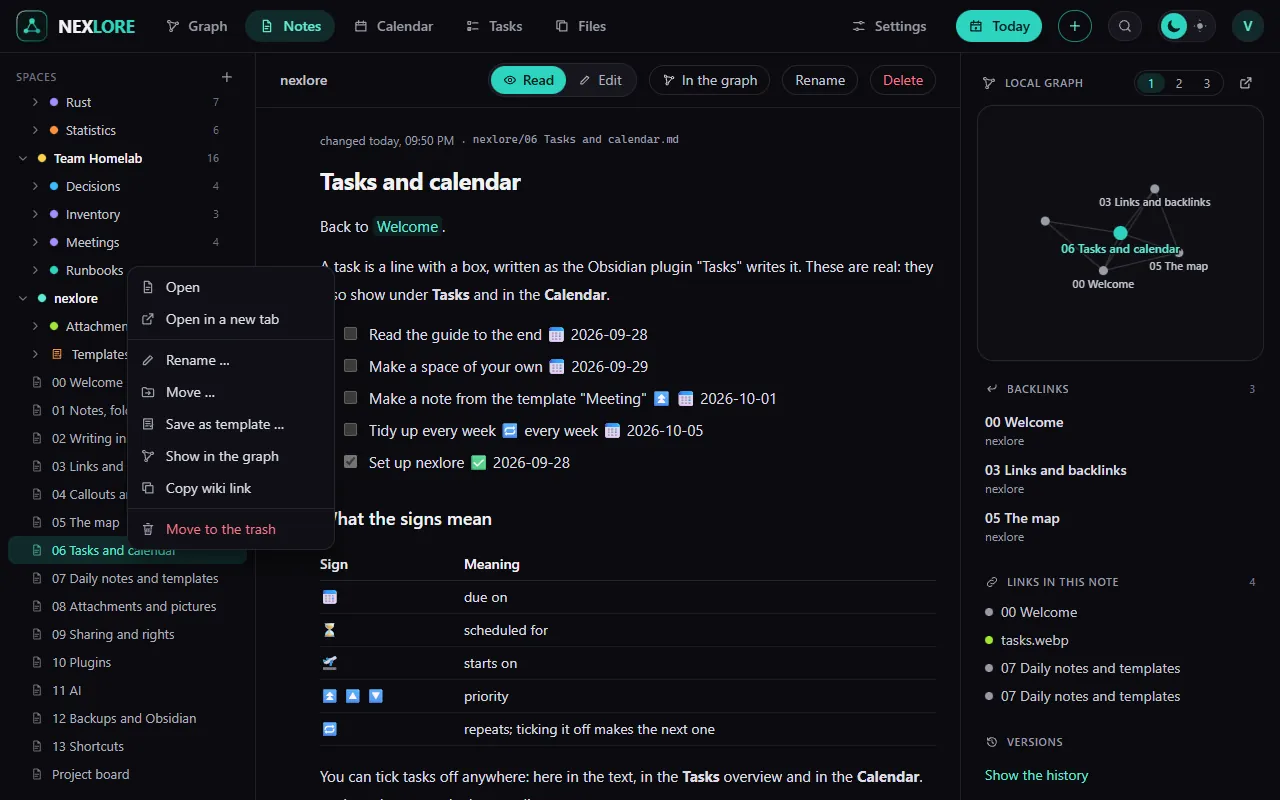
Lore saysWith the menu key or Shift + F10 you open the same menu on the selected entry, without needing the mouse.
Favorites, tabs and two notes side by side
With the star at the top of a note you add it to the Favorites at the very top of the sidebar, and that works with folders too. A click opens a note in the front tab. Ctrl + click, a middle click or “Open in a new tab” opens a new one, and as soon as there are two tabs, the tab bar appears. With Open to the right in the menu you see a second note next to the first.
You can bring back what you delete
What you delete waits, together with its history, for 30 days in the Trash on the Files page. When you delete a note, nexlore asks whether the attachments only that note uses should go along. You'll find every saved version of a note in the Versions tab next to it.
Lore saysUnder Settings, General you choose where nexlore opens for you, so with the graph, today's daily note, the note you opened last or one particular note.