The app step by step · Chapter 29
AI in the editor and over MCP
AI in the editor and MCP are both off by default, and the operator switches them on under Settings, Server, AI and plugins. After that, everyone sets up their own part under My account in the AI tab. Why it is built this way is on the page AI and MCP.
Adding your own AI service
- Address
For well-known services a tile fills in the address. But any service with the usual chat interface works, including Ollama at your home, for example
http://ollama.example.com:11434/v1/. - Key
Here you enter your service's key, although a service at home often doesn't need one. Once it's saved, nexlore never shows it again.
- Model
With Load the models nexlore asks the service which models it has and checks the address and key along the way. Pick one and save.
- Switch on
Switch on Use AI in my notes. From then on “AI” appears in the editor's toolbar and in its right-click menu.
Letting the AI help you write
Select some text or take the whole note, then click AI.
| Task | What happens |
|---|---|
| Correct spelling | the mistakes disappear, and the content stays untouched |
| Rewrite | in one of nine tones, namely More formal, Official letter, Plain language, Matter-of-fact, Friendlier, Firmer, Calmer, Shorter or More detailed |
| Translate | into a language from the list |
| Summarize | at the cursor or as a new note |
| Write for me | from your request, with the note as material |
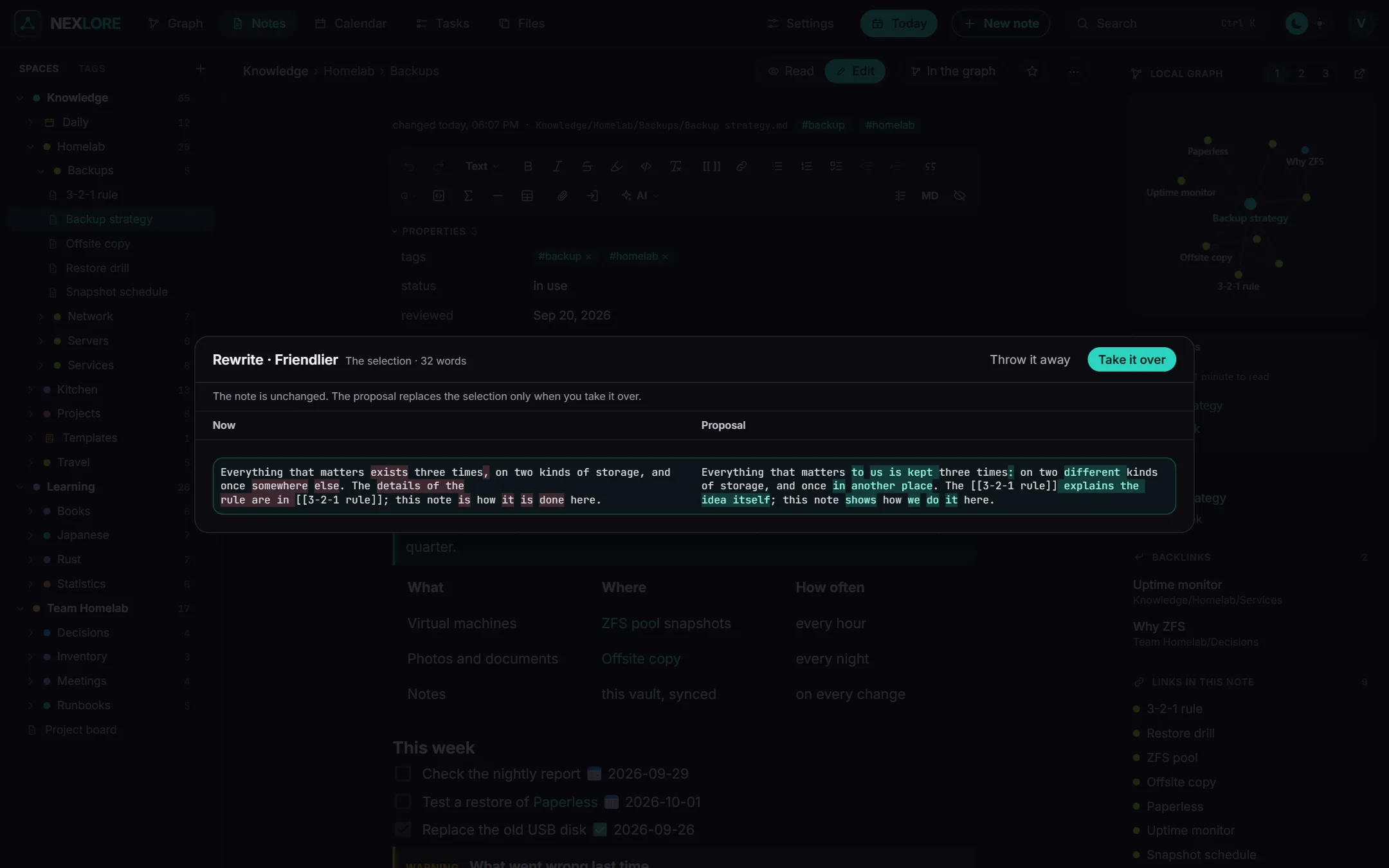
The result always appears next to your text first. Take it over replaces your text in one step, and undo brings the old one back. Throw it away leaves everything as it was. Wiki links, tags, tasks, callouts, code and formulas stay exactly as they were written.
Lore says“What went out” lists every request to your service word for word for 14 days. With “Clear the list now” you delete it straight away.
Giving AI programs access from outside
In the same tab you make keys for AI programs that connect from outside over MCP. With New key you give it a name, decide what it may do (Read, Drafts or Write) and choose which spaces it may see. nexlore shows you the key only once, together with the address and ready-made lines to paste into your program. Revoke makes it invalid straight away.
When a program with the level “Drafts” proposes something, a notice at the top of the note offers Look at it, and afterwards you take the draft over or throw it away. You'll find all open drafts in the account menu under “Open AI drafts”.