The app step by step · Chapter 26
Sharing and rights
A space belongs to the members in it. Whoever manages it invites other people and gives them rights. Whatever someone may not read, nexlore never gives away to them.
Who takes part in your space
Right-click the space and choose Members and settings. There you add an existing account by its name or invite someone new.
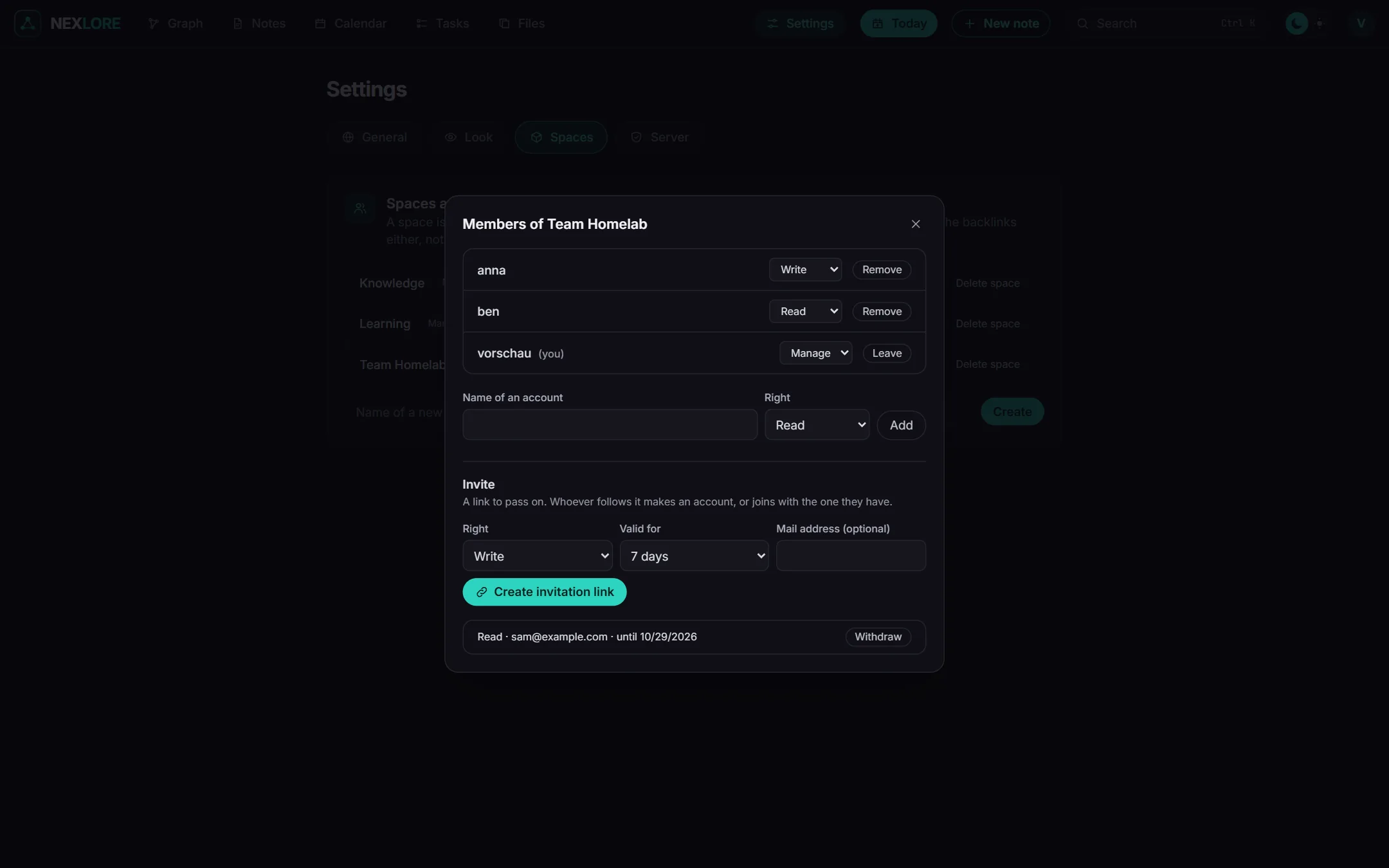
| Right | may |
|---|---|
| Read | read and search notes and propose changes |
| Write | also create, change, move and delete |
| Manage | also invite, give rights, share and rename the space |
Inviting someone
- Make a link
Choose how long the link is valid (1, 7 or 30 days), add a mail address if you like and click Create invitation link.
- Pass it on
You copy the link and send it yourself, or nexlore mails it if the operator has set up a mail server. The link works only once, and you only see it at this moment.
- Accept
Whoever follows the link creates an account or joins with one they already have, through the sign-in provider too.
Making a note readable for everyone
Whoever manages a space can share a note or its whole folder as a page to read. To do that, choose Share in the “More” menu at the top of the note. The entry is there once the operator has allowed public pages.
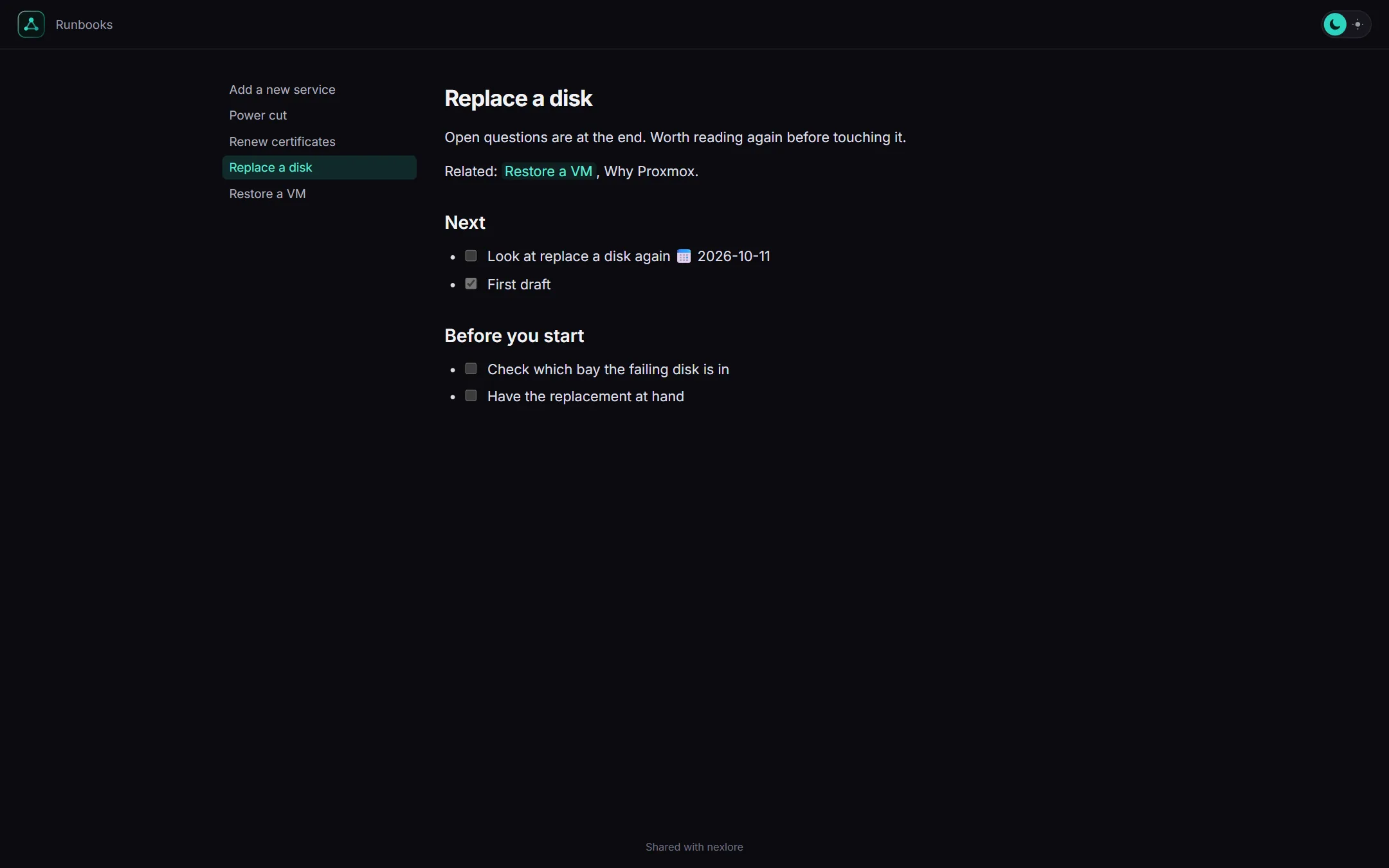
- Expiry: The page ends after 1, 7, 30 or 365 days, or it stays until you withdraw it.
- Password: If you like, you protect the page with a password. Readers enter it once, and before that the page doesn't even give away its name.
- Only the text goes out: Properties and
%%comments%%stay with you, and links to anything not shared become ordinary text. - Withdrawing: One click takes the page back, and the link then answers as if it had never existed.
When two people work on the same note
When someone edits a note, everyone else sees that they're editing it right now and can read it in the meantime. If someone changes the same file outside nexlore at the same time, nobody loses anything either. nexlore then makes a conflict copy, and with Compare you see both versions side by side.
Lore saysPeople who may only read can still help, namely with a proposal. How that works is explained in the next chapter.