The app step by step · Chapter 28
Using plugins
Plugins come from a checked catalog that ships with nexlore. The operator installs them and lets them out, and after that everyone switches them on for themselves. How they are locked up and how to write one yourself is on the page Plugins.
Switching a plugin on for yourself
You'll find the plugins under My account in the Plugins tab, section “Plugins for me”. Each one says what it may do and where it appears.
Contents
This plugin shows the note's headings, how many words it has and how long it takes to read. You'll find it in the “Plugins” tab in the column next to every note.
Queries
A query code block lists notes by tag or folder, as a list or as a table. It knows the lines tag, folder, space, sort (modified or title), limit and view (list or table). It only reads and isn't Dataview.
```query
tag: recipe
folder: Kitchen
sort: modified
view: table
```
| Note | Folder | Changed |
|---|---|---|
| Country bread | Kitchen/Bread | 10/2/2026 |
| Pizza dough | Kitchen | 9/30/2026 |
| Focaccia | Kitchen/Bread | 9/27/2026 |
Kanban
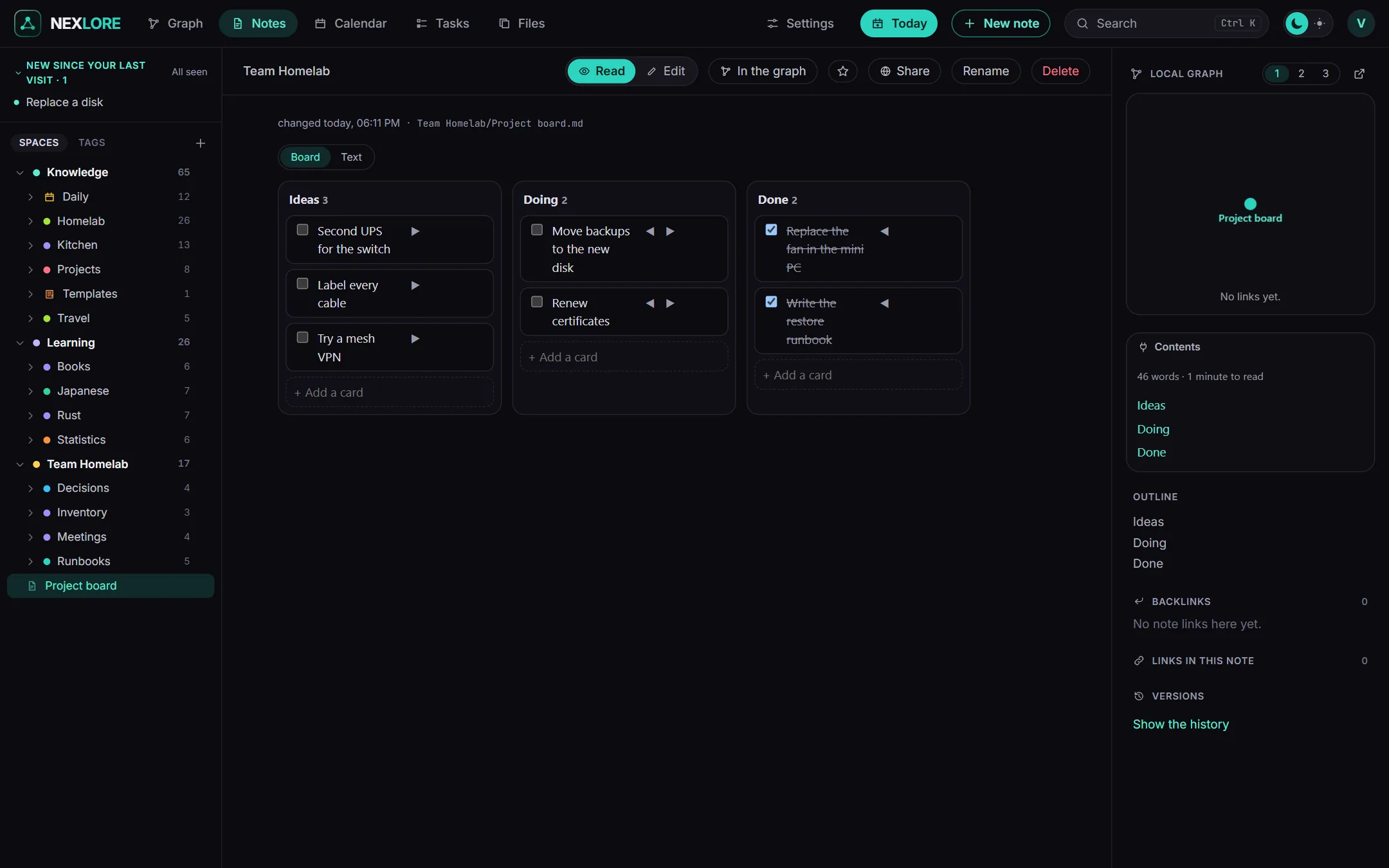
A note with kanban-plugin: basic in its properties becomes a board. Every heading is a lane, and every task below it is a card. You drag the cards from lane to lane, and nexlore rewrites only the lanes that changed, so the file stays ordinary Markdown. At the top, “Show as” switches between board and text.
Rediscover
In the “Plugins” tab next to the note, this plugin shows you a random older note and what you wrote a year ago today. That way you come across things again that you once noted down and then forgot.
Lore saysWhile a plugin is off, you see its code block as text and the Kanban note as an ordinary list. So nothing runs that you didn't switch on yourself.