Extensions · Chapter 13
Tasks
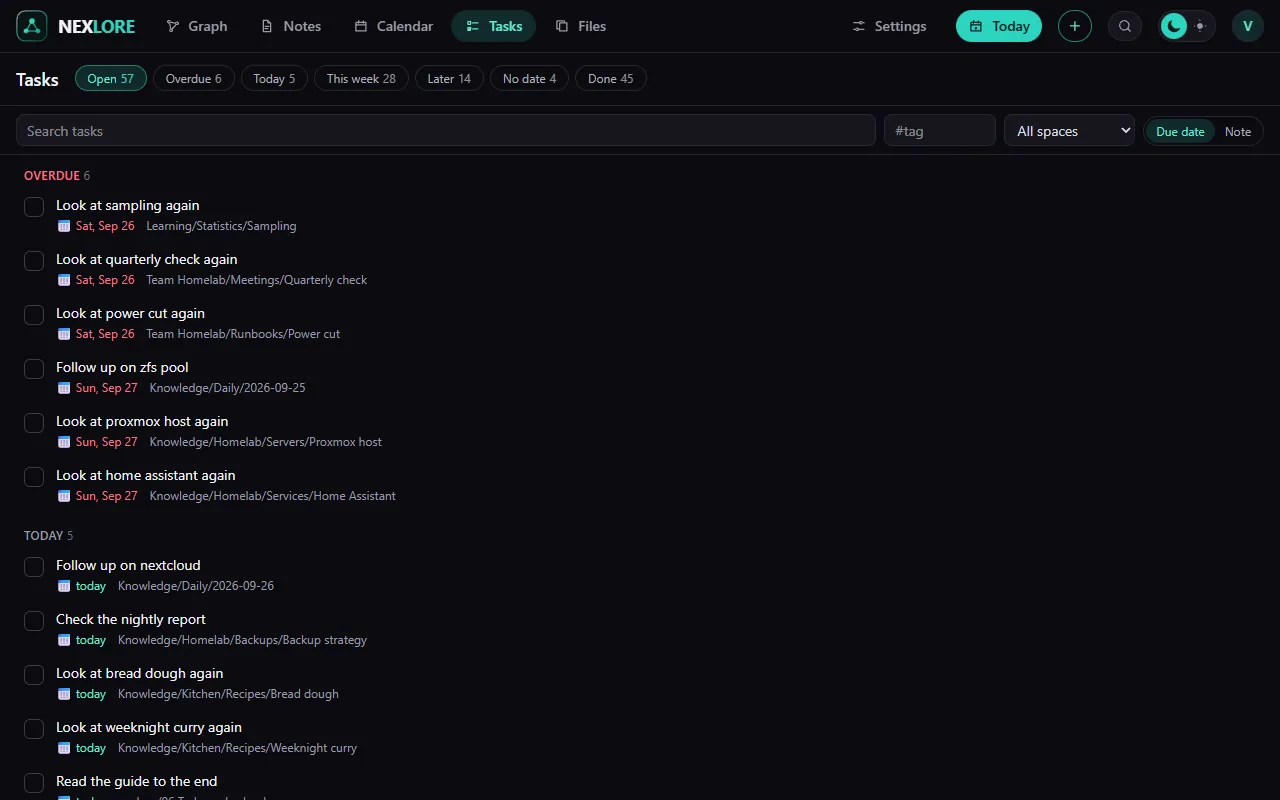
A task is a line with a checkbox in front. If you add a few characters after it, nexlore also knows when it's due and collects it for you in the overview.
Adding a task and ticking it off
A task starts with a hyphen, a space and square brackets. With an x inside, it's ticked off.
- [ ] Bake bread 📅 2026-10-02
- [ ] Change the tyres ⏫ 📅 2026-10-15
- [ ] Replace the water filter 🔁 every month
- [x] Check the pool ✅ 2026-09-28
- Bake bread 📅 Oct 2
- Change the tyres ⏫ 📅 Oct 15
- Replace the water filter 🔁 every month
- Check the pool
| In the box | Meaning |
|---|---|
[ ] | open |
[x] | done |
[/] | in progress, counts as open |
[-] | cancelled |
Setting dates and priorities with signs
| Sign | Meaning |
|---|---|
| 📅 2026-10-02 | due on |
| ⏳ 2026-10-01 | scheduled for |
| 🛫 2026-09-30 | starts on |
| 🔺 ⏫ 🔼 🔽 ⏬ | priority, from highest to lowest |
| 🔁 every week | recurs, and ticking it off creates the next one above |
| ➕ 2026-09-20 | created on |
| ✅ 2026-09-28 | done on, set by nexlore itself when you tick it off |
Tasks that keep coming back
After 🔁 you write the rule in English. When you tick off such a task, nexlore creates the next one with the new date right above it.
| Rule | Next time |
|---|---|
every day, every 3 days | daily, every three days |
every week, every 2 weeks | weekly, every two weeks |
every weekday | every working day |
every week on Monday | every Monday |
every month, every year | monthly, yearly |
every week when done | a week after ticking it off, not after the old date |
Lore saysYou don't have to know the signs by heart. In the editor you insert the box with / and “Task list”. And a task without a date is just as much a task, it simply has no deadline.
You can tick tasks off anywhere
You tick a task off in the note, in the Tasks overview or in the Calendar. nexlore changes exactly that one line and nothing else in the file. Tasks in code blocks and comments don't count.